
Polymarket Deposit Methods: Coinbase, Card, PayPal, Wallets, and Crypto
Compare Polymarket deposit method searches for Coinbase, Binance, card, credit card, PayPal, crypto wallets, tokens, networks, and fees.
Polymarket deposit methods depend on what the current Deposit screen shows for your account. Common searches include Coinbase, Binance, card, credit card, PayPal, crypto wallet, and direct crypto transfers. Use the live Polymarket method, token, network, address, and minimum as the source of truth before sending funds.
- Start inside Polymarket, then choose an outside funding path only if it matches the live screen.
- Exchange deposits from Coinbase or Binance still require exact token and network matching.
- Card, credit card, and PayPal availability can depend on provider, region, and account checks.
Deposit method comparison
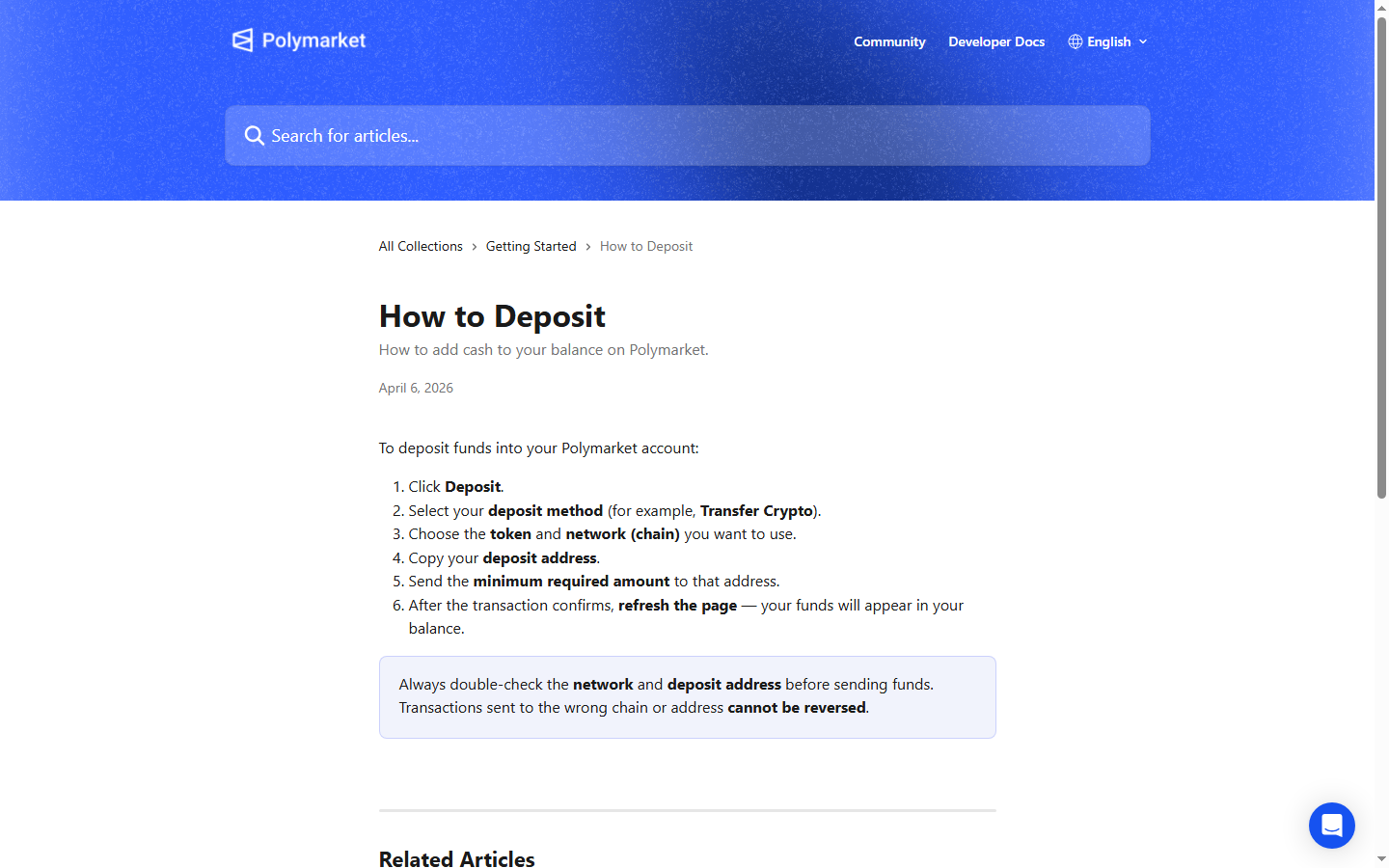
The safest deposit workflow starts inside Polymarket. Click Deposit, review available methods, then choose the token, network, address, and minimum amount shown on the live screen.
After that, match the outside funding source to Polymarket. Coinbase, Binance, wallets, card providers, and PayPal-style flows can have different fees, minimums, limits, and processing times.
Coinbase and Binance deposits
A Coinbase or Binance deposit usually means you withdraw crypto from the exchange to the deposit address shown by Polymarket. Match the network exactly and keep the transaction hash.
Do not choose an exchange network because it is cheaper unless Polymarket showed that network for the deposit. Wrong-chain transfers can be difficult or impossible to recover.
Card, credit card, and PayPal deposits
If a card, credit card, or PayPal option appears through Polymarket or a current provider, read the provider screen before approving. Fees, identity checks, issuer declines, and settlement timing can differ from crypto transfers.
If the option does not appear for your account, treat it as unavailable. Avoid third-party pages that promise to credit your Polymarket balance outside the official deposit flow.
Crypto wallet transfer
A wallet deposit uses the token, network, and deposit address from Polymarket. Send from your wallet only after checking the address and amount.
Wallet deposits give you more control, but they also place more responsibility on you. Read the wallet prompt, check gas, and save the transaction hash until Polymarket credits the balance.
Use confirmation time to research markets. Check rules, liquidity, fee indicators, recent activity, and top wallets before the deposit arrives.
A clean deposit process does not make a trade good. Funding is only the first operational step.
Most deposit-method searches fall into three buckets: exchange withdrawal, payment-provider purchase, or direct wallet transfer. Coinbase and Binance belong to the exchange bucket. Card, credit card, and PayPal-style flows belong to the provider bucket. MetaMask, Rabby, Phantom, and similar tools belong to the wallet bucket.
Each bucket has a different risk. Exchanges add withdrawal network choices. Providers add fees and account checks. Wallets give control but make address mistakes harder to undo. In the docs, bridge deposits ultimately credit pUSD on Polygon for trading, so the user-facing method and the onchain settlement layer are not always the same thing.
| Step | What happens |
|---|---|
| 1 | Request deposit addresses for your Polymarket wallet |
| 2 | Send the asset to the address for the source chain |
| 3 | Bridge and swap convert the asset to pUSD on Polygon |
| 4 | pUSD credits to the wallet for trading |
For Coinbase or Binance, copy the Polymarket deposit address after choosing the token and network inside Polymarket. Then paste that address into the exchange withdrawal screen and match the network exactly.
Do not choose a network because it is cheaper or faster unless Polymarket shows it. Exchanges often list many networks for one token, and only one may match the deposit screen.
A card or PayPal-style route depends on whether a provider appears in the current Polymarket flow for your account. If it appears, read fees, limits, settlement timing, verification checks, refund rules, and issuer restrictions before approving.
If it does not appear, treat the method as unavailable. A separate page claiming PayPal support should not receive funds unless it is part of the official flow.
The supported-assets docs list EVM chains, Solana, Bitcoin, Tron, HyperEVM, and other routes with different minimums. This matters for Coinbase, Binance, card providers, and wallets because a token name alone is not enough. The chain and minimum decide whether the route makes sense.
If you are choosing between Polygon USDC and Ethereum USDC, for example, the minimum and network cost can change the whole first-deposit plan.
| Chain | Address type | Minimum | Example assets |
|---|---|---|---|
| Ethereum | EVM | $7 | ETH, USDC, USDT, WBTC, DAI |
| Polygon | EVM | $2 | POL, USDC, USDT, DAI, WETH |
| Arbitrum | EVM | $2 | ETH, ARB, USDC, USDT, DAI |
| Base | EVM | $2 | ETH, USDC, USDT, DAI, cbBTC |
| Optimism | EVM | $2 | ETH, OP, USDC, USDT, DAI |
| BNB Smart Chain | EVM | $2 | BNB, USDC, USDT, DAI, ETH |
| Solana | SVM | $2 | SOL, USDC, USDT, USDe |
| Bitcoin | BTC | $9 | BTC |
| Tron | TVM | $9 | USDT |
A wallet transfer is direct: copy the address from Polymarket, select the supported network in your wallet, send the displayed minimum or more, and save the transaction hash. Read the wallet prompt before signing.
Wallet deposits are useful for users who already understand network fees and address checks. They are unforgiving for users who guess chains or reuse old addresses. For API and builder flows, Polymarket documents deposit wallets that hold pUSD and conditional tokens on-chain; that developer concept is different from a beginner simply clicking Deposit in the consumer UI.
| Item | Meaning |
|---|---|
| Wallet type | Deposit wallet for new API-user flow |
| Order signature type | POLY_1271 / signatureType 3 |
| What it holds | pUSD and conditional tokens on-chain |
| Who signs | Owner or approved session signer |
Choose a method based on supported availability, total cost, timing, and how quickly you need funds. A slower exchange withdrawal can be fine if you are researching a market for later. A fast provider quote may be poor if the fee consumes the edge.
The deposit route should fit the trade plan. Do not let funding convenience decide which market you buy.
Exchange failures usually involve wrong network choice, delayed withdrawals, or minimum amounts. Provider failures usually involve declined cards, identity checks, fees, or unavailable regions. Wallet failures usually involve wrong address, wrong chain, or insufficient gas.
Diagnose the method before sending again. A slow Binance withdrawal and a wrong-chain wallet transfer require different next steps.
Example: you choose a token and network on Polymarket, then Binance offers several networks for that token. The correct move is to select the network Polymarket displayed, even if another network looks cheaper.
After broadcast, use the exchange withdrawal record and transaction hash to confirm status. Do not judge success only from the Polymarket balance screen.
Example: a card provider quotes an amount, fee, and settlement time. Compare the final amount credited with the market you plan to trade. If the fee changes your expected trade size, update the plan before buying shares.
Provider convenience can be useful, but the quote belongs in your cost calculation.
Example: you send from MetaMask after copying the Polymarket address. Before signing, check the selected network in the wallet, the token contract, the recipient, and the amount. Then save the transaction hash.
A wallet transfer is clean when you control the details. It is risky when you move fast and assume the wallet selected the same network Polymarket requested.
Fast funding can be useful when a market is moving, but speed can come with higher provider fees or worse operational checks. Slow funding can be cheaper and safer when you are still researching.
Choose speed only when the market opportunity justifies it. A rushed deposit into a weak market gives you two problems: funding risk and trade risk.
For exchanges, save withdrawal ID and transaction hash. For card or PayPal-style providers, save quote, fee, receipt, and provider name. For wallets, save network, token, address, and hash.
These records make it easier to separate a provider delay from a blockchain confirmation delay or a Polymarket balance refresh issue.
Switch methods only after identifying the failure. If a card provider declines, a wallet transfer may help. If the problem is regional availability, another funding method may still be blocked. If an exchange withdrawal is pending, switching too early can create duplicate funding.
The best method is the one Polymarket supports for your account and you can verify from start to finish without guessing network, provider, eligibility details, or timing today.
Check these official Polymarket sources before you act on referral terms, deposit methods, fees, availability, verification, or resolution details.
Last verified: May 20, 2026
Use deposit confirmation time to compare live markets.
Review current platform details directly on Polymarket before you trade.
Tools and related reading referenced by this guide.
Continue with nearby Polymarket research topics.
Learn Polymarket's current deposit steps: click Deposit, choose method, token, network, copy the address, send the minimum, and wait for confirmation.
Troubleshoot a Polymarket deposit that is not showing up by checking the transaction hash, token, network, minimum amount, and deposit address.
Understand Polymarket fees, including taker fees on some markets, fee-free categories, deposit and withdrawal notes, spreads, and liquidity costs.