
Polymarket PnL Timeline
Polymarket PnL Timeline & Trade Video Builder
Turn any Polymarket wallet into a clean PnL replay with trade history, realized performance, and a shareable video for posts, threads, and quick breakdowns.
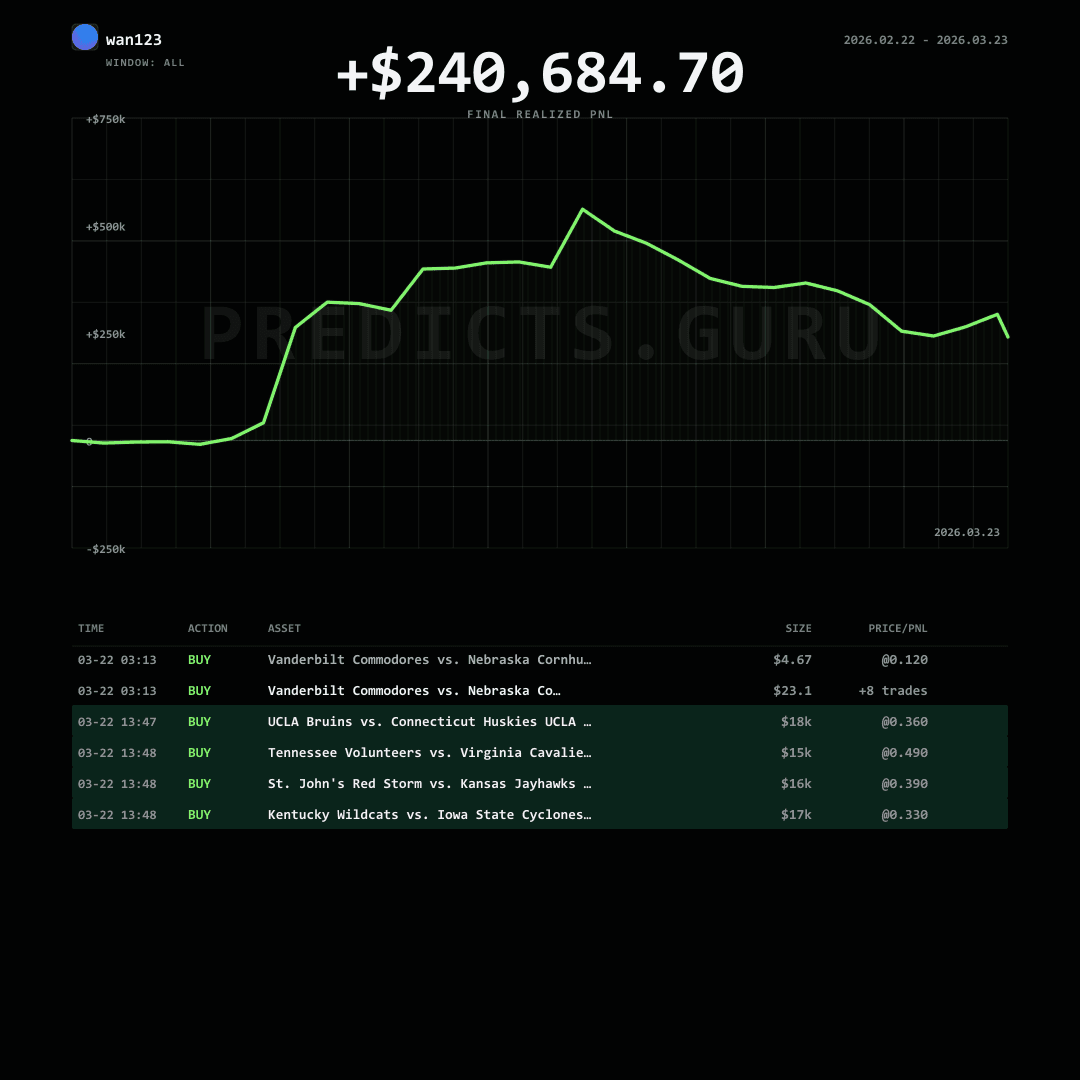
How the Polymarket PnL Timeline Works
The trade video builder reads a wallet's Polymarket trade history, samples the selected time window, and turns realized PnL movement into a replay that can be reviewed on-page or exported as a short MP4.
What the PnL timeline shows
The timeline focuses on realized wallet performance, trade sequencing, trade size filters, buy and sell visibility, and the selected data window. It is useful for explaining how a wallet's visible trading activity changed over time.
How the trade video is generated
Predicts.guru creates a render job, builds a replay from matching wallet trades, then serves the finished video through the trade-video job API. Large wallets may take longer because the builder can process up to 50k trades per build.
How to interpret realized PnL
Realized PnL is not the same as full portfolio value. Open positions, unresolved markets, missed fills, and market-resolution timing can change the complete picture. Use the replay with the wallet checker for broader wallet metrics.
Data windows, filters, and limitations
The selected window, minimum trade size, and buy/sell filters control what appears in the replay. The output is an informational visualization of available trade data, not a complete audit of every wallet risk, position, or future outcome.
Predicts.guru analytics and generated trade videos are for research and content workflows only. They are not financial, trading, investment, legal, or tax advice.