
How to Use Polymarket: Research Markets, Trade Shares, Track Results
Learn how to use Polymarket from signup to research, deposits, market selection, Yes/No shares, position tracking, and risk checks.
To use Polymarket, create an account, deposit through the current Polymarket funding flow, open a market, read the rules, review price and liquidity, then buy or sell Yes/No shares. Prices reflect supply and demand from other traders; they are useful probability signals, not guarantees.
- Polymarket prices can be read like market-implied probabilities.
- Research the event rules, order book, liquidity, and spread before buying shares.
- Track your own wallet and other traders with Predicts.guru after each trade.
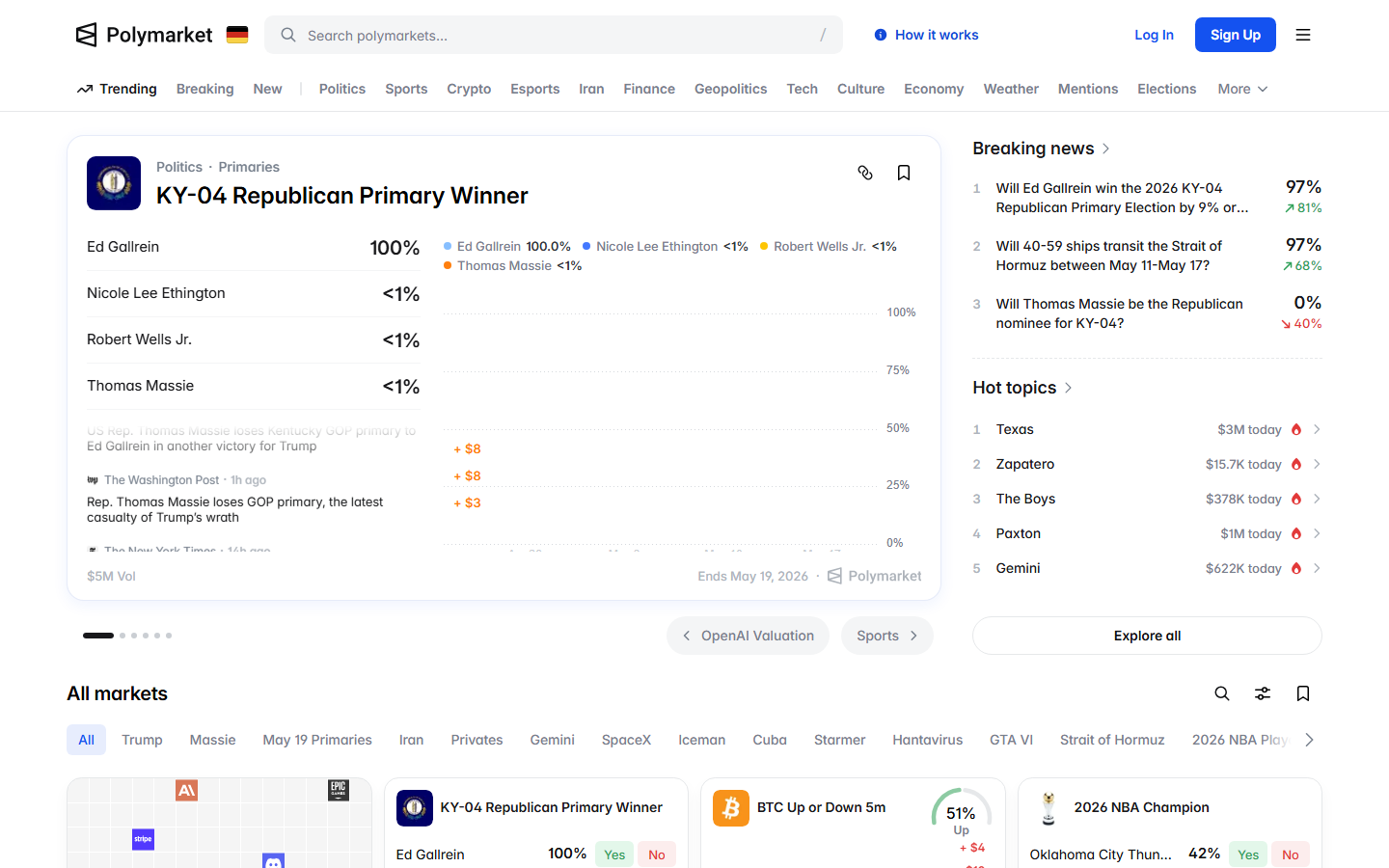
Start with market research
Begin with the Polymarket event page, resolution rules, liquidity, recent activity, and trade ticket. You want to know what the market is about before you think about entry price. Predicts.guru can add wallet and event context after you understand the live Polymarket market.
- Read the title and resolution source before you look at the chart.
- Check volume and liquidity so you know whether you can enter or exit.
- Compare recent activity with the price move you are reacting to.
Track positions after trading
After you trade, track your wallet, open positions, and realized results. You can sell before resolution if the live market gives you a price you accept. Use the wallet checker to compare your activity with traders you follow, but do not copy a wallet without reading its open risk.
The Prices & Orderbook docs make one point beginners miss: the displayed price is not always the price you get. Polymarket shows a midpoint when the bid-ask spread is tight enough, but you buy at the ask and sell at the bid.
That is the reason a market can look like 37 percent and still cost 40 cents to buy. A good usage workflow teaches you to look at the book before the button.
| Signal | How to read it |
|---|---|
| $0.25 | 25% implied chance |
| $0.50 | 50% implied chance |
| $0.75 | 75% implied chance |
| Best bid / best ask | The actual prices buyers and sellers currently show |
| Displayed price | Usually bid-ask midpoint; last traded price may show when spread is wide |
Using Polymarket starts before the trade ticket. You choose a market, read the rules, inspect price and liquidity, decide whether the current price is wrong, then track the position until sale or resolution.
Beginners often jump straight from homepage to buy button. A better workflow treats the homepage as discovery, the market page as due diligence, and the portfolio as risk control.
Read the market title, end date, resolution source, chart, volume, spread, and trade ticket in that order. The title tells you the event; the rules tell you what will count; the order book tells you whether you can trade at a fair price.
A chart is only one input. A price move without liquidity can reverse fast, and a liquid market with vague rules can still create settlement risk.
After buying shares, record entry price, size, thesis, exit condition, and resolution date. Review open positions before adding new ones so one category or event does not dominate the account.
Use wallet analytics to compare your behavior with active traders, but keep your own notes. A copied trade without your own exit rule becomes hard to manage.
The common mistakes are easy to spot: buying because a price looks cheap, ignoring the rules, entering thin markets, and treating top-wallet activity as instruction. A broad usage guide should help you avoid those mistakes across the whole journey, from market discovery to final payout.
Start by scanning categories, liquidity, volume, and time left. Add markets to a short watchlist only when the question is clear and the rules deserve a closer read.
A watchlist protects you from clicking every market that moves. It gives you a smaller set of events where you can compare price changes, news, and wallet activity over time.
Read the title first, then the market rules, then the resolution source, then the end time. This order keeps you from building a thesis around the headline while missing the condition that decides payout.
For date-based markets, check timezone and cutoff language. For announcement markets, check whether the market requires an official source or accepts a broader public signal.
Recent activity shows who is trading, how large the trades are, and whether price moved on real participation or a thin order book. Use it as context, not as instruction.
If a wallet buys after a price spike, inspect that wallet before reacting. The same wallet may have earlier entries, hedges, or open positions that change the meaning of the trade.
A practical loop is simple: discover markets, shortlist a few, read rules, check liquidity, inspect activity, write a thesis, then decide whether to trade or wait. After the market resolves or you exit, compare the result with your original thesis. That review teaches more than scanning another set of market cards.
Use Predicts.guru after you find a market or wallet worth checking. The leaderboard helps identify traders, the wallet checker shows positions and history, and activity pages show recent market behavior. This split keeps Polymarket as the place where you read and trade markets, while Predicts.guru becomes the research layer for wallet and event context.
Check these official Polymarket sources before you act on referral terms, deposit methods, fees, availability, verification, or resolution details.
Last verified: May 20, 2026
Compare markets before choosing a position.
Review wallet performance and open positions.
Tools and related reading referenced by this guide.
Continue with nearby Polymarket research topics.
Create a Polymarket account with Google, email, or a wallet, then review eligibility, funding, market rules, and research steps before trading.
Learn Polymarket's current deposit steps: click Deposit, choose method, token, network, copy the address, send the minimum, and wait for confirmation.
Learn how betting on Polymarket works through Yes/No shares, prices, probability, liquidity, order books, settlement, and trader research.